

Docs7 reads the Mintlify content format. Keep your docs.json or mint.json, MDX pages, assets, snippets, redirects, and OpenAPI files.
1. Preview the project#
From the folder that contains docs.json or mint.json, run:
Open http://localhost:3333 to see your documentation page.
2. Connect the repository#
In your Context7 teamspace:
- Open Docs7 and click Add New Site.
- Connect GitHub if needed.
- Choose the repository and production branch.
- Set Docs path to the folder that contains
docs.json. Use.when it is at the repository root. - Publish the site.
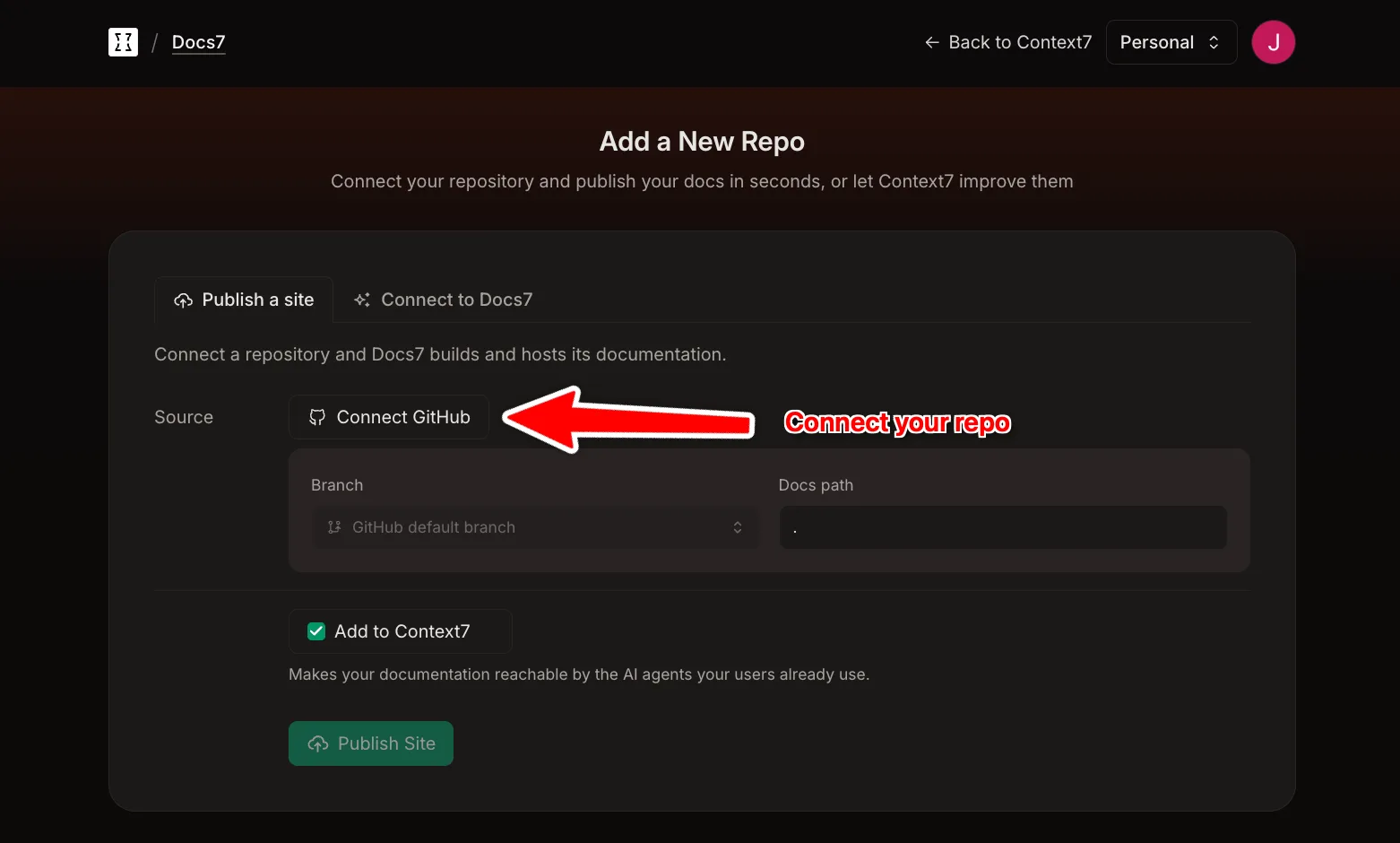
Review the build log and compare the new site with the current Mintlify site. Your Mintlify deployment can stay online while you test Docs7.
3. Move the domain#
If you use a custom domain, add it to the Docs7 site before changing traffic. Docs7 will show the DNS records it needs.
Switch the routing record only after the domain is ready and the Docs7 site looks correct.
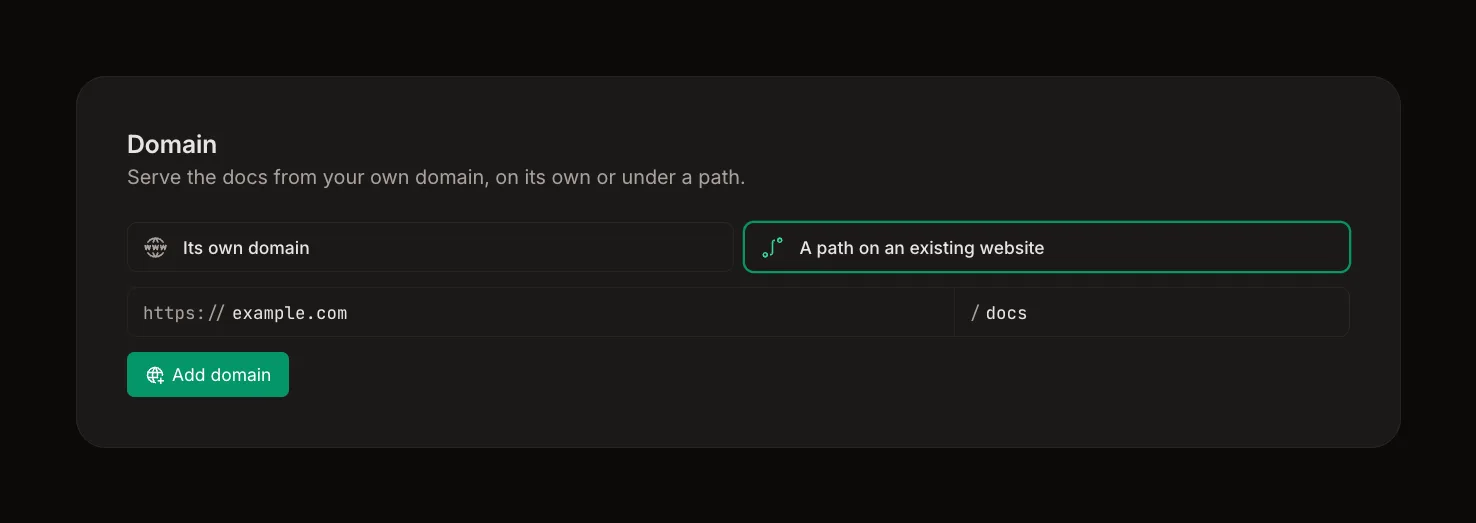
After the switch, remove the Mintlify GitHub integration so one push does not deploy to both services.